Sync is not backup
Separate everyday continuity from an independent recovery copy.
Local-first Markdown vault backup
VaultCopy turns the vault on your Mac into a verified snapshot, moves it over your local network, and keeps the recovery copy on your iPhone. No hosted note storage. No in-place restore.
Free download · 3-day trial · US$4.99 lifetime unlock
VaultCopy 1.0.1 is available now in supported App Store storefronts. China mainland is not included in this release.
The missing recovery layer
Sync is excellent at keeping devices current, and some sync services include version history. Time Machine is excellent at protecting an entire Mac. Git is excellent when you maintain the habit.
VaultCopy answers a narrower question: do I have a recent, intact copy of this whole vault on another device, ready to inspect and restore?
It complements the tools you already use by creating an intentional vault-sized recovery artifact on your iPhone.
Practical recovery guides
Two plain-English guides for deciding what deserves a separate copy and proving that copy can return safely.
Separate everyday continuity from an independent recovery copy.
Recover into a clean folder, inspect the result, and protect the original.
The real backup loop
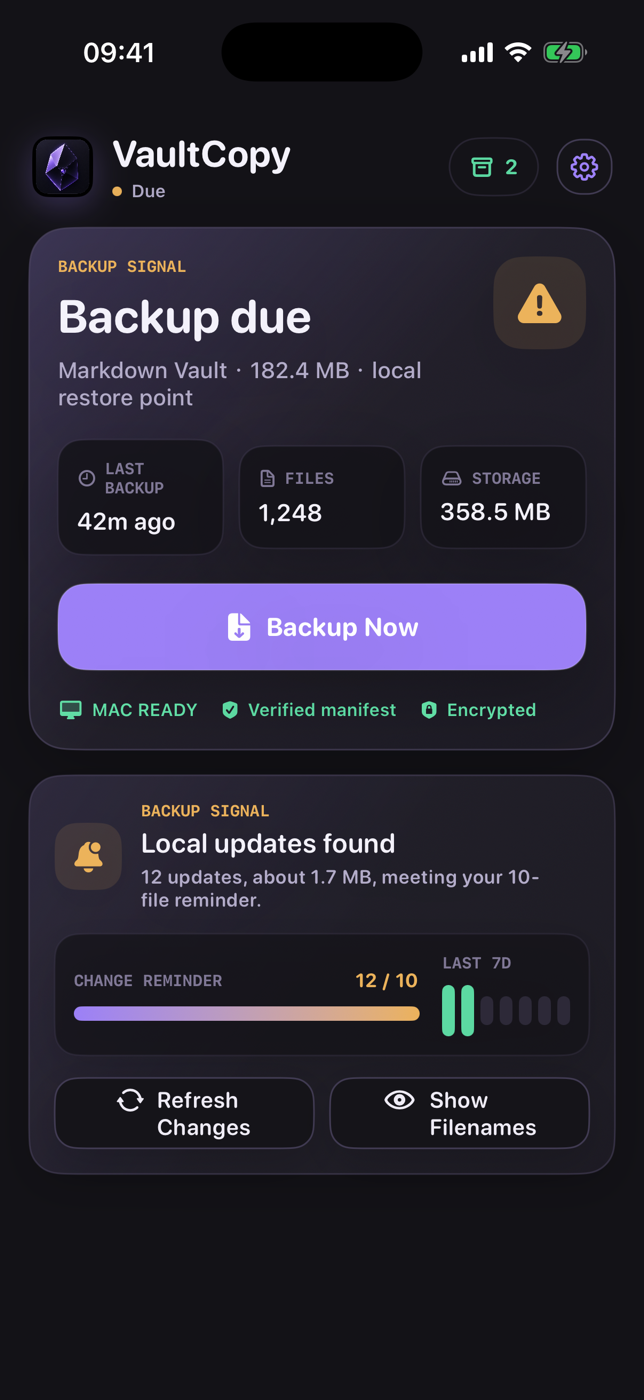
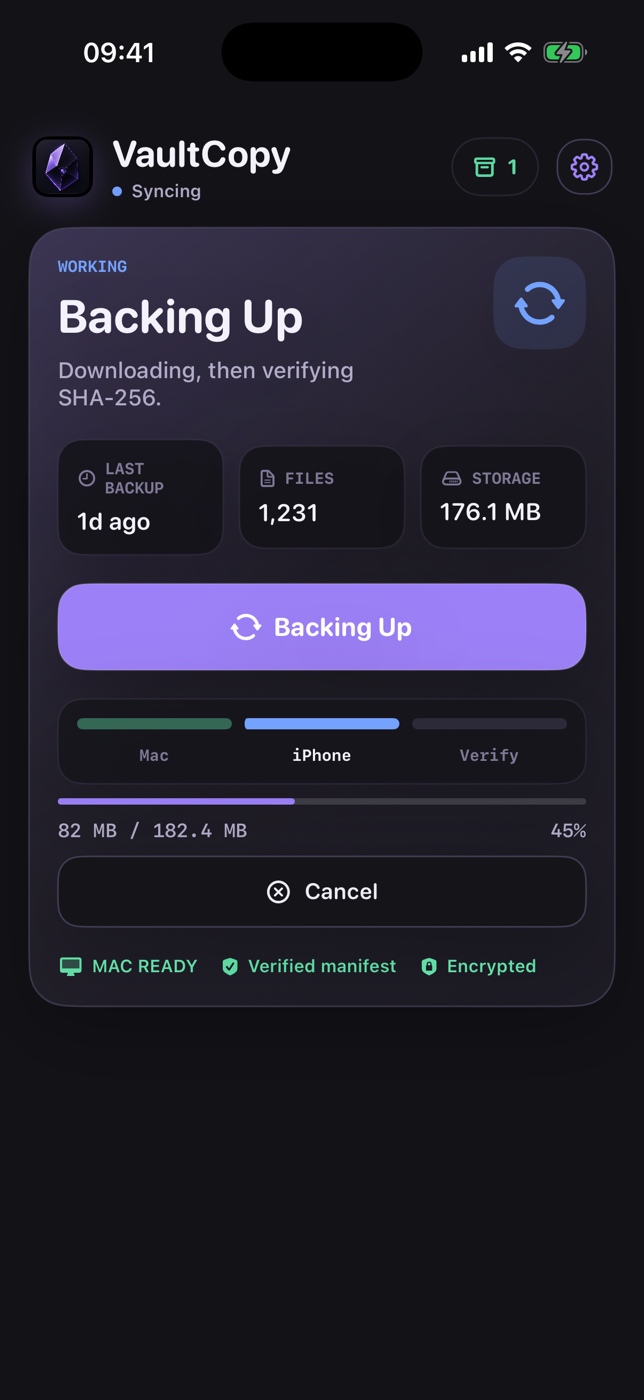
These are current VaultCopy screens, not marketing mockups.
VaultCopy checks what was added or modified since the latest iPhone snapshot, then shows the count and size before you create another backup.
The Mac creates the snapshot. The iPhone downloads it over the local network, checks the archive hash, and saves it atomically only after verification succeeds.
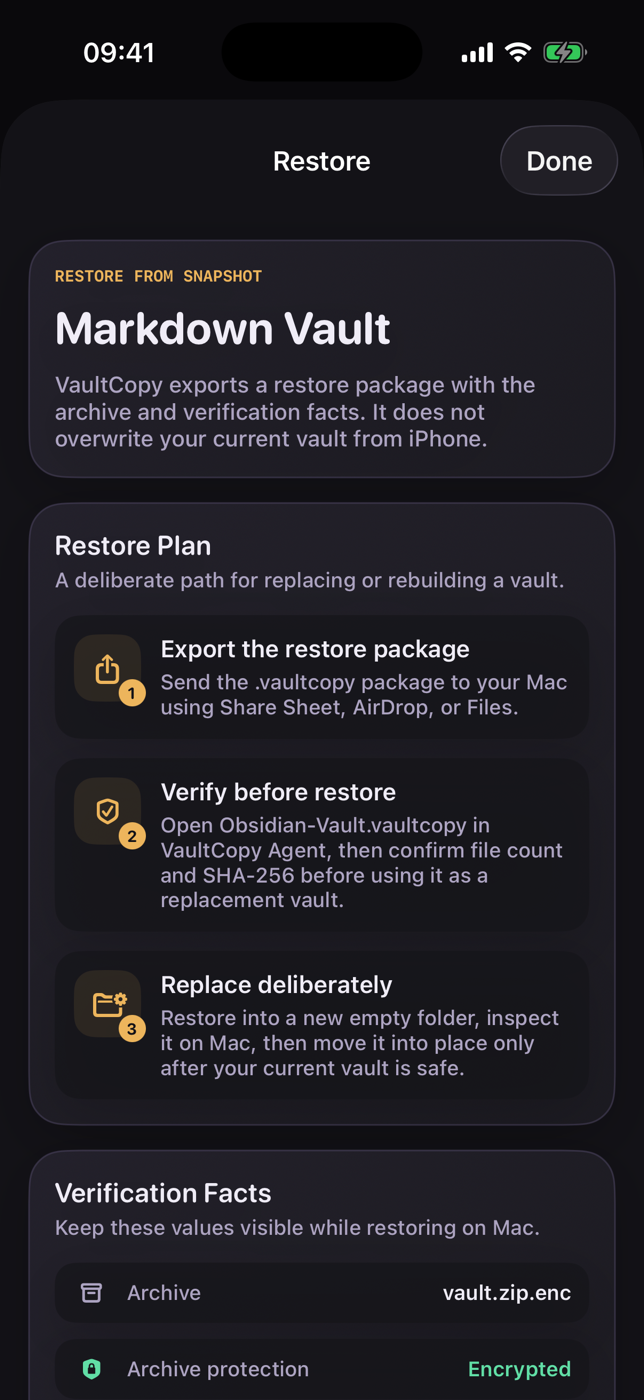
Export a portable .vaultcopy package, verify it on Mac, and restore into a new empty folder. VaultCopy refuses to overwrite the vault you are trying to protect.
Proof, not a green checkmark
VaultCopy keeps the first release deliberately focused on recovery confidence.
How it fits
VaultCopy does not need other tools to be bad. It solves a different job.
Simple first-release pricing
Install the iPhone app and Mac Agent, pair your devices, create real snapshots, and test the recovery flow during a 3-day trial.
One-time in-app purchase. Local App Store pricing may vary.
Mac snapshot. iPhone copy. Safe return.